
Built for how musicians actually work
Chord charts, scores, lyric sheets, and diagrams — all in one place, with tools to practice, share, and play together.
Scores
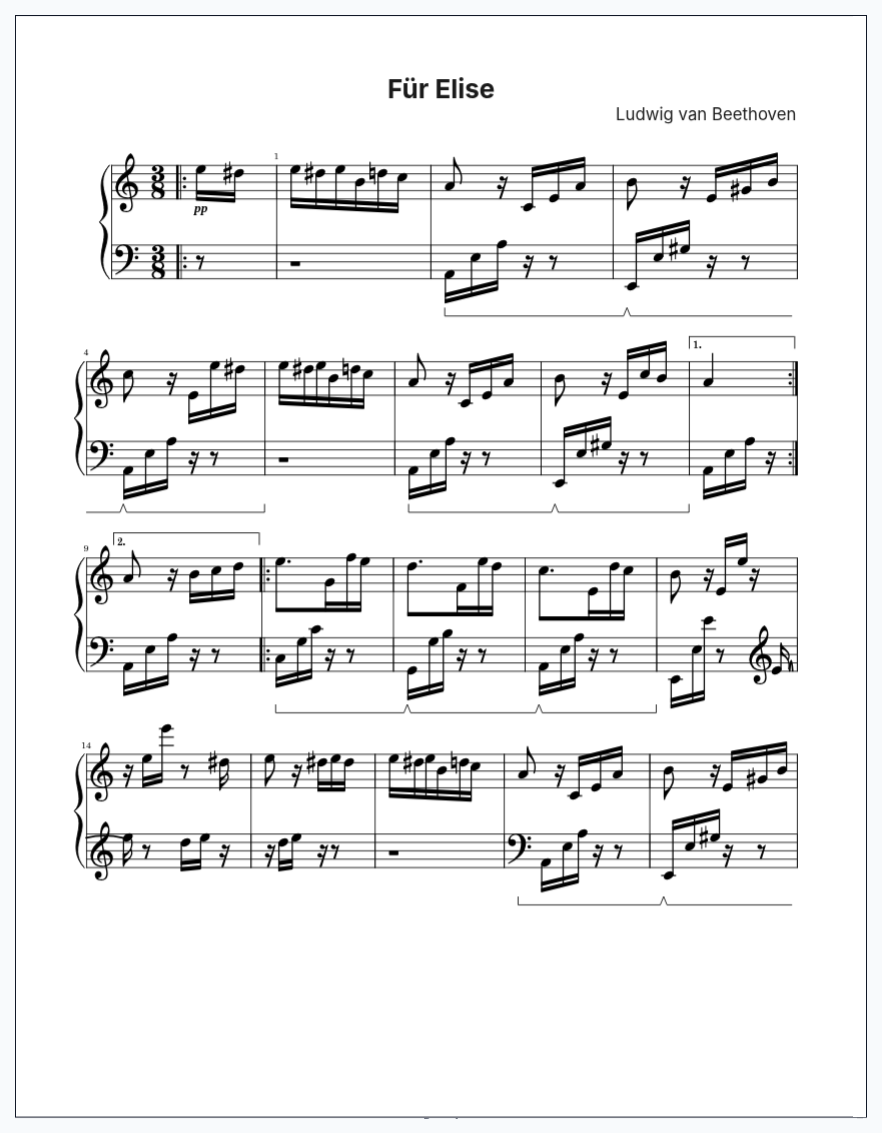
Write sheet music with standard notation and tablature.
Full support for key signatures, time signatures, dynamics, articulations, and instrument-specific techniques like bends, slides, and hammer-ons.
- Standard notation and tablature
- Dynamics and articulation marks
- Instrument-specific markings (guitar bends, piano pedals, and more)
- Multi-voice and multi-staff writing
- Import from MusicXML and ABC
Lyric Sheets
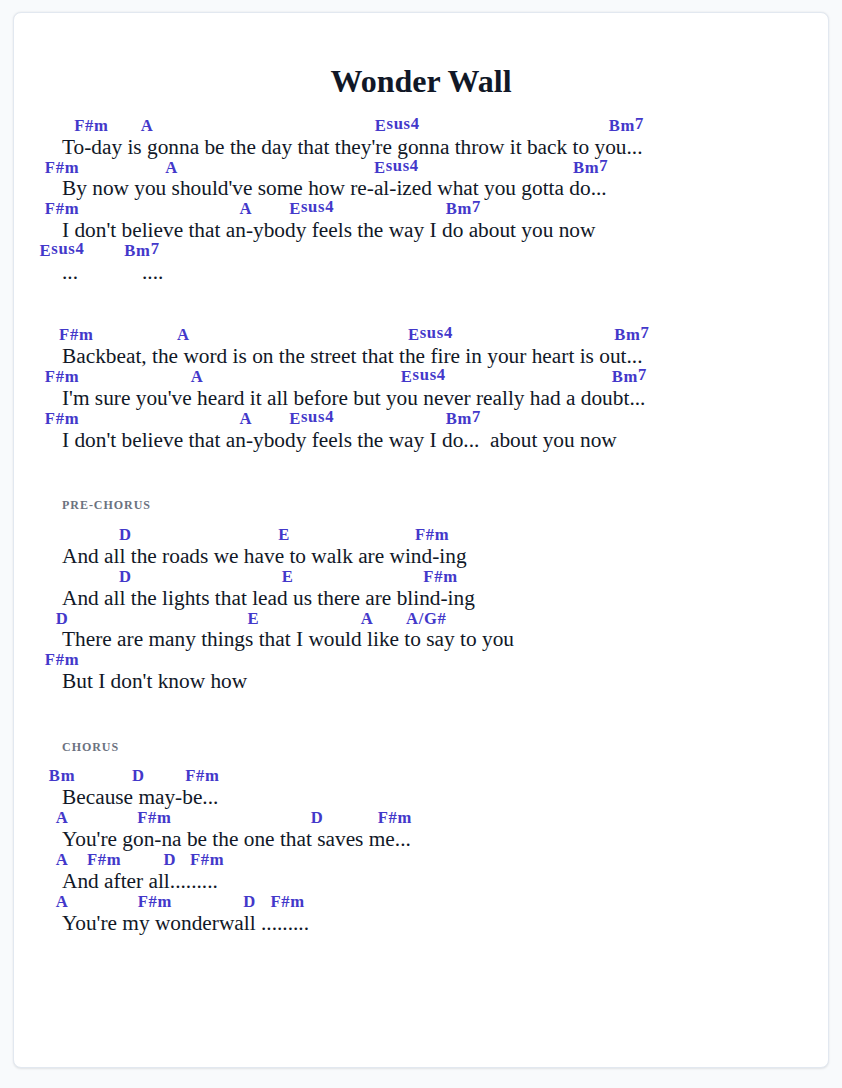
Rich text lyrics with chord anchors positioned exactly above the syllables where changes happen.
The anchor system lets you place chords precisely — they stay locked to the right position even as you edit. Paste in lyrics and chords to create an editable lyric sheet, with chords anchored above the words.
- Inline chord positioning above lyrics
- Anchored chords that track with text edits
- Multi-page support with automatic pagination
- Chord transposition across the entire sheet
Chord & Scale Diagrams
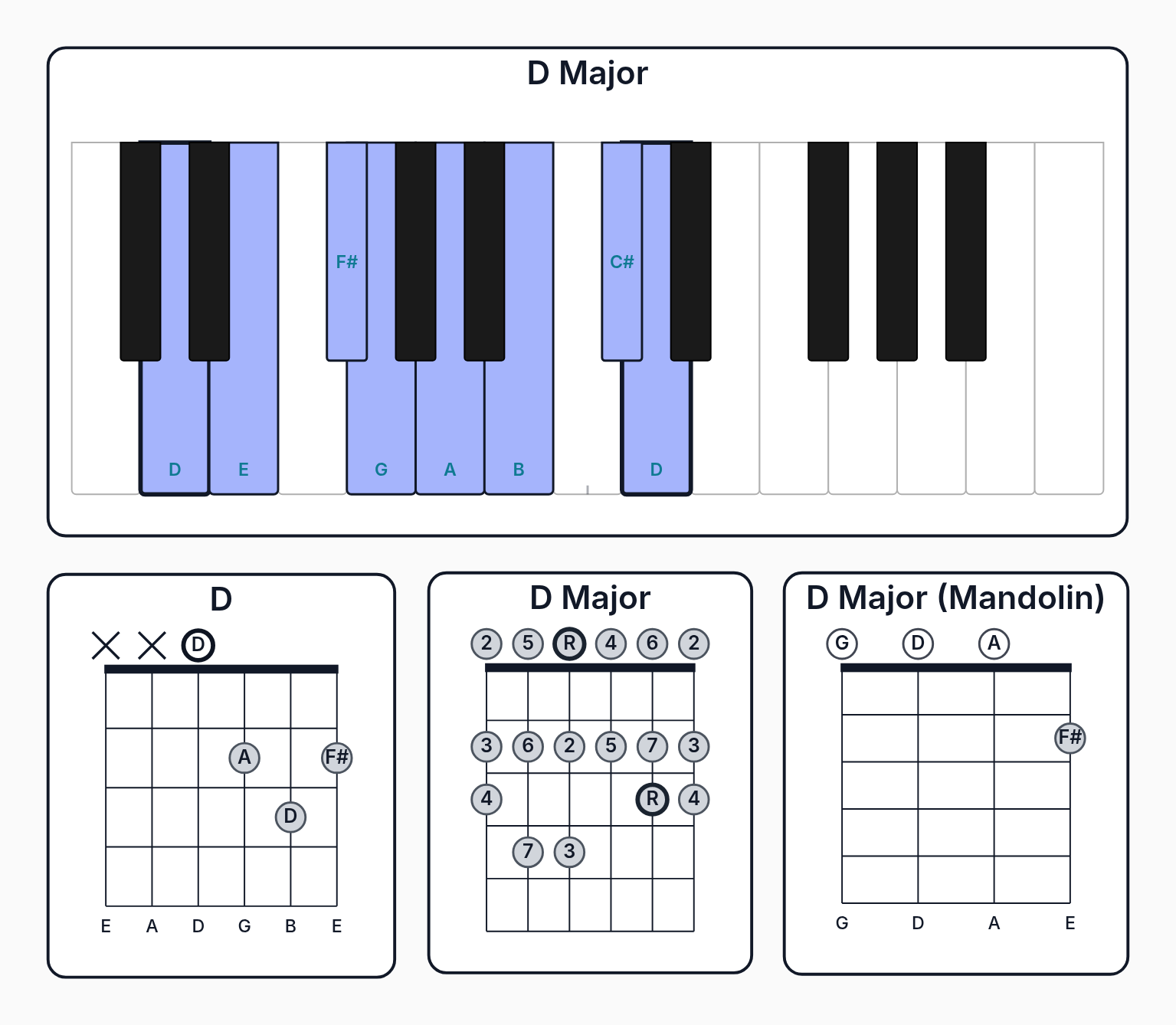
Fretboard and keyboard diagrams for any chord voicing or scale pattern.
Add fingerings, barres, interval labels, and custom markers.
- Chord voicing library with hundreds of shapes
- Scale pattern generation for any mode
- Custom fingerings and interval labels
- Barre chord notation
Chord Charts
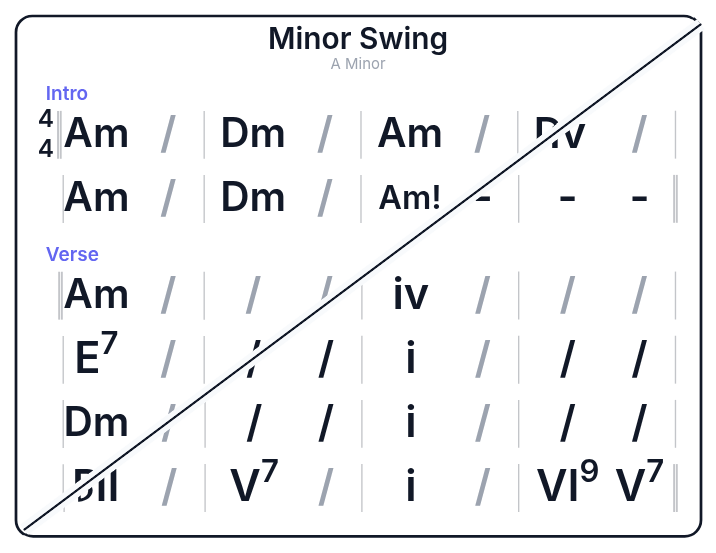
Build measure-based chord progressions with sections and multiple parts.
Write in chord symbols, Roman numerals, or Nashville numbers — and transpose with one click. Perfect for rehearsal charts, lead sheets, and teaching materials.
- Drag-and-drop chord placement
- Section labels and part management
- Three notation modes: symbols, Roman numerals, Nashville numbers
- One-click transposition
- Print-ready formatting
Freeform Pages
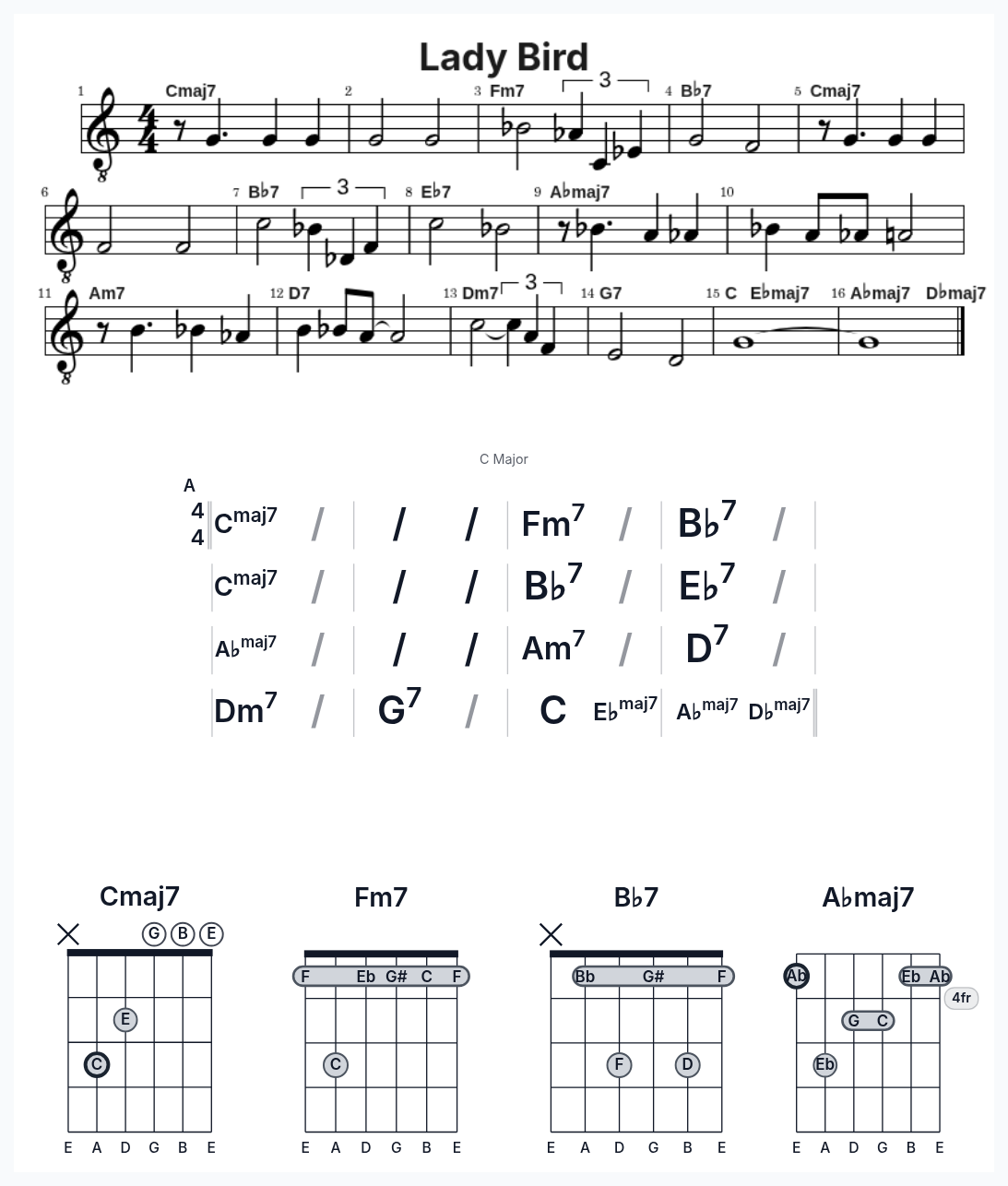
Combine any material type onto freeform pages.
Create custom layouts that bring together chord diagrams, scores, text, and more into print-ready documents.
- Canvas-based freeform layout
- Mix any material type on one page
- Portrait and landscape orientation
- Multi-page documents
Jams
Bring everyone onto the same tune.
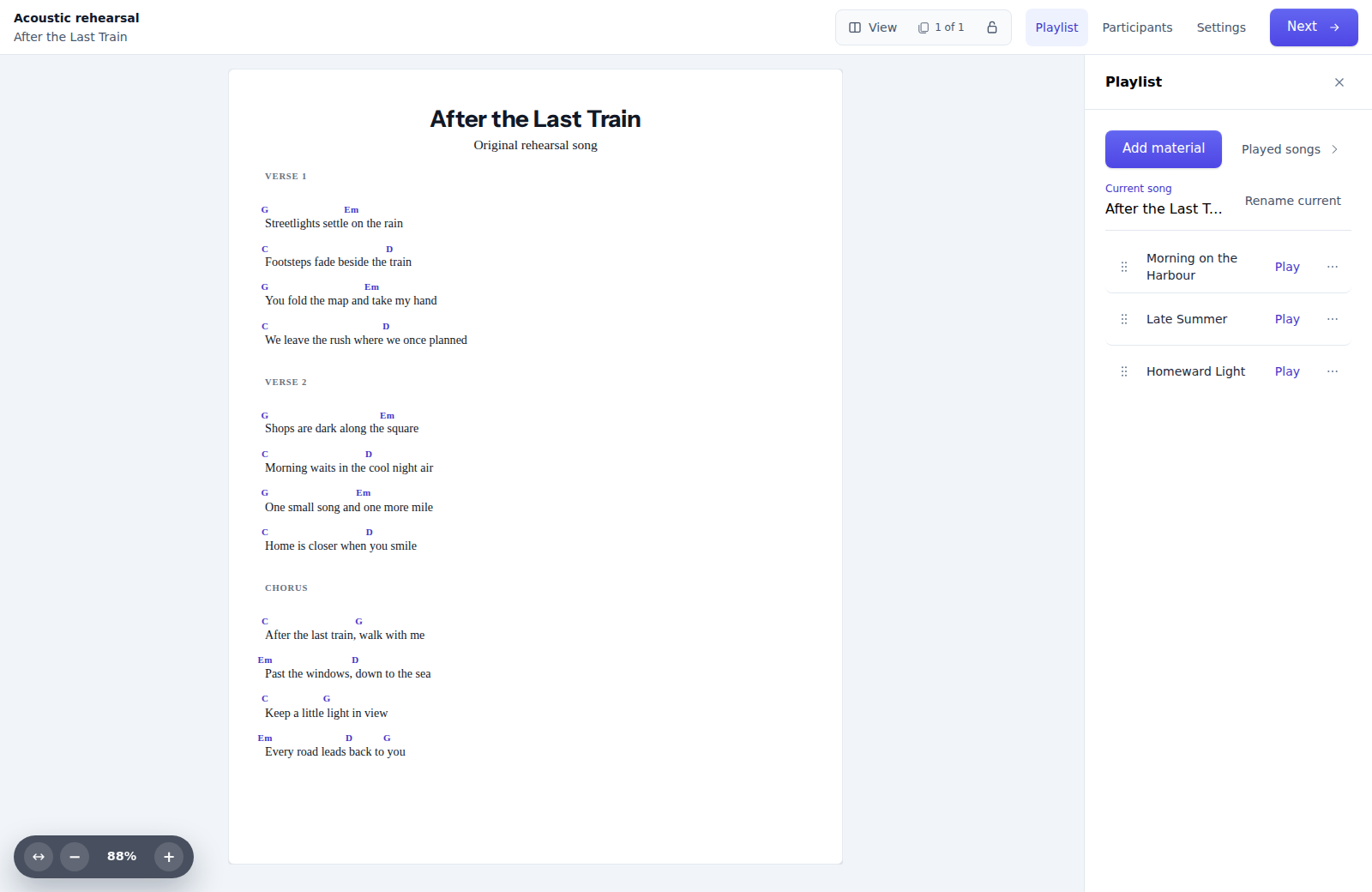
Bring your band, rehearsal group or jam together around the same music. Start a session, invite players and choose what to play next.
Invite everyone.
Share a link or QR code to invite players. Guests can join without an account.
Choose the tune.
Add your materials to the playlist, then choose a tune for everyone to follow in their own viewer.
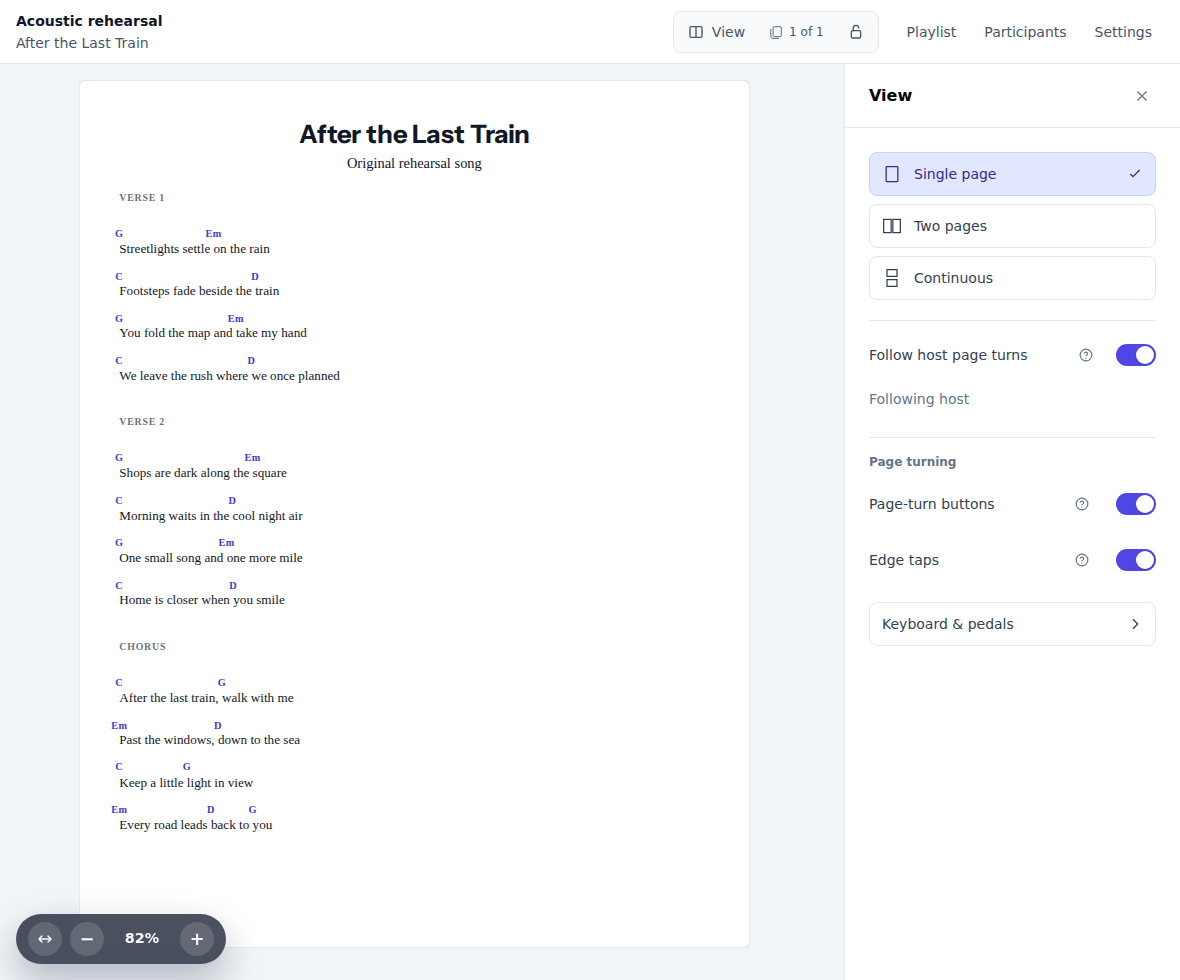
Follow the page. Keep your view.
Attendees can follow host page turns in Single page or Two pages while keeping their own zoom and layout.
Build the playlist together.
Let other Counterpoint Studio members add their own materials to the playlist.
Smart Practice
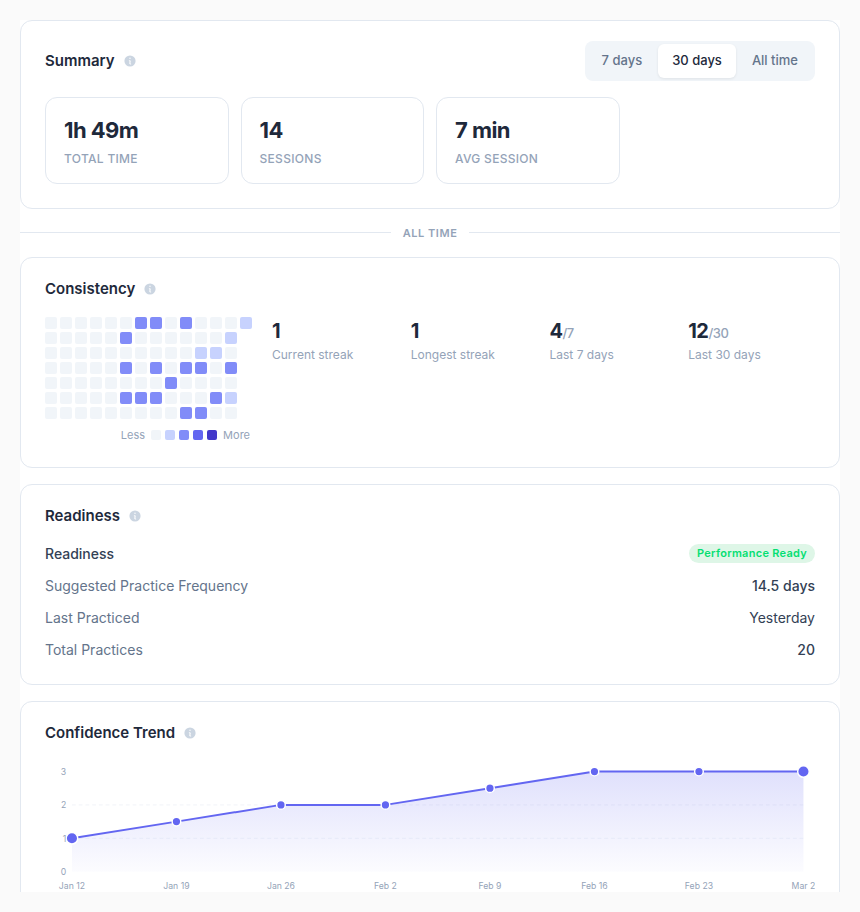
Counterpoint Studio doesn't just help you create — it helps you get better. Smart Practice intelligently schedules your materials so you spend your time where it counts.
- Smart Practice surfaces the materials that need the most attention
- Track your progress across your entire repertoire
- Session-based practice with focused workflows
- Teachers can see what students are practicing, and how well they're progressing
Studio & Groups
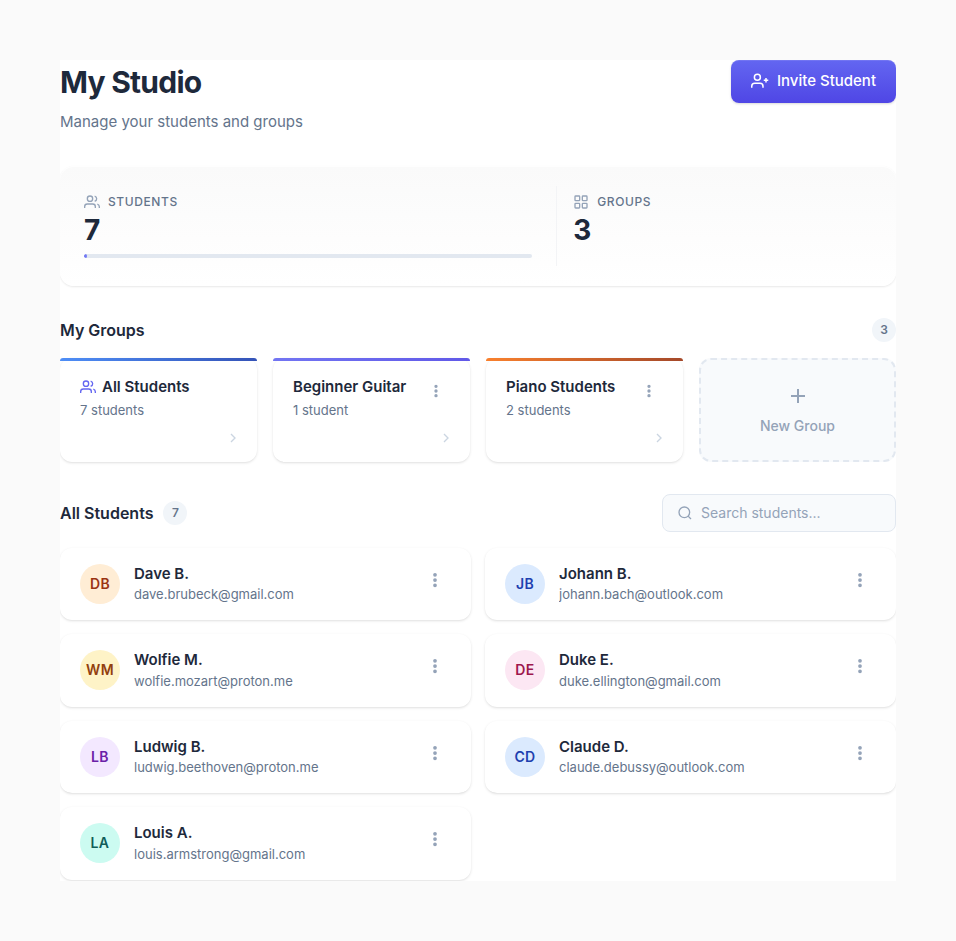
Share with anyone via link, or organize your entire studio. Create groups for ensembles, classes, and sections. Assign materials and track progress — all from one place.
- Student accounts and management
- Groups for ensembles, classes, and sections
- Assign specific materials to groups or individuals
- Practice visibility — see which students are on track and who needs attention
- Batch sharing across your entire studio
Works where you do
Your entire repertoire, always accessible.
- Any Device
- Create on your computer, practice from your iPad, Android tablet, or phone. Your repertoire is always with you.
- Print-Ready Output
- Every material type produces clean, professional printed output. What you see on screen is what you get on paper.
- Version History
- Track changes to your materials over time. Restore previous versions when you need them.
- Import
- Bring in your existing scores. MusicXML and ABC imports let you start from what you already have.
- Cloud and Local Saving
- Cloud saving syncs across devices. Local saving means you always have access, even offline.
Start creating today
Chord charts, scores, lyric sheets, and more — all in one place with practice tools built in.
Try Counterpoint Studio